
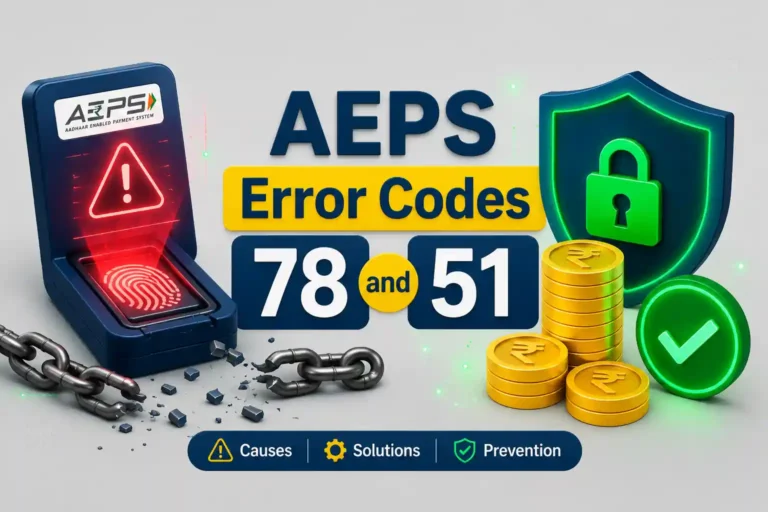
- Error 51 = Insufficient funds in the specific bank account being queried. No money is deducted. Customer likely has their money in a different bank.
- Error 78 = Account blocked or frozen at the issuing bank. You cannot fix this at your AePS point. The customer must visit their home branch. lOnce, my Punjab National Bank account got frozen. I went to the branch and they fixed it in 5 minutes.
- Failed AEPS transaction = no debit. In standard error cases, the money never leaves the account. If a network timeout happens, RBI rules mandate an automatic reversal within T+1 working day.
- Handling Customers: 90% of angry disputes happen because customers misunderstand “Error 51” as “money deducted.” Explaining which bank account was actually checked resolves it immediately.
Back in 2023, during my early days of mapping FiiPay’s rural network, I onboarded a local retailer in Sarahan Panchayat, Chamba, himachal pradesh (my hometown). Within the first two weeks, his portal kept throwing up two specific codes: Error 51 and Error 78. On a screen, they just look like technical glitches. But to a customer standing at the counter, any error means one thing: “Mera paisa phans gaya” (My money is stuck).
If a BC agent or retailer doesn’t know exactly what these codes mean, a routine 10-second transaction failure can escalate into a massive local dispute. I learned this the hard way during an incident that almost involved the police. Knowing your NPCI error codes isn’t just about passing a certification; it is literally about saving your shop’s reputation.
AEPS Error Code 78 & 51: What They Actually Mean
Both of these are standard NPCI error codes. They do not mean your biometric machine is broken or the server is down. They are direct responses from the customer’s bank regarding their account status. For example, when I started as a Spice Money retailer, people would come to me for cash withdrawals. Whenever I got these error codes, I thought I had wasted my money on my Mantra L0 machine (even though it was working perfectly fine). But my distributor later explained that these were NPCI errors, not an issue with my machine.
- The specific bank account linked to the Aadhaar does not have enough balance.
- No amount is deducted. The transaction is declined upfront.
- Very common when a customer has funds in a different bank account but forgets which one is mapped for AePS.
- The issuing bank has blocked or deactivated the account entirely.
- Usually happens due to pending KYC or if the account was dormant for 12+ months.
- Cannot be fixed by the retailer. The customer must physically visit their bank branch.
A lady walked up to my retailer’s point to withdraw cash. The biometric scan went through, but the portal flashed Error 51. The moment the retailer said “transaction fail ho gaya,” she panicked. She threatened to call the police, shouting that our machine had “swallowed” her money and that she definitely had balance in her account.
My retailer called me in a panic, and I had to physically drive down to the point. When I started asking basic questions, the truth came out. She had two accounts. Her money was safely sitting in her Himachal Pradesh Gramin Bank account. However, she was trying to withdraw money using her Punjab National Bank Aadhaar-link, which had a zero balance. Error 51 was 100% correct. No money was deducted anywhere.
That single misunderstanding wasted two hours and almost destroyed the retailer’s credibility in the village. We could have avoided the entire drama by asking one simple question before scanning her thumb: “Aap paise kaunse bank se nikalna chahte ho?”
How to Fix AEPS Transaction Failed — Error 51 Steps
- Confirm no debit happened: Ask the customer to check their mobile for any SMS alert. If there is no deduction SMS, the money is safe. Show them the screen clearly stating “Declined,” not “Debited.”
- Verify the target bank: Ask them which bank their Aadhaar is actually mapped to for transactions. Many rural customers assume Aadhaar pulls money from *all* their bank accounts. It only pulls from the primary linked bank.
- Run a balance enquiry first: An AePS balance enquiry is free and takes barely 10 seconds. If the balance is zero or low, they will see it on the screen themselves. This instantly proves that the account has no funds, preventing the “you took my money” argument.
- Use the bank toll-free number: If a customer still argues, ask them to call their bank’s 24×7 balance inquiry missed-call number right there. Hearing the low balance directly from the bank settles the dispute immediately.
How to Handle AEPS Error Code 78 (Account Blocked)
- Explain it is a bank-level issue: Make it very clear that your machine hasn’t blocked anything. The customer’s home bank has frozen the account, usually because they haven’t done a transaction in a year (dormant) or their KYC has expired.
- Send them to the branch: Tell them to take their Aadhaar, PAN card, and bank passbook directly to their home branch for an “account reactivation.” It usually takes 24 to 48 hours for the bank to lift the freeze.
- Save the transaction log: Always note the reference number and take a screenshot of the Error 78 message. If the customer comes back days later claiming you stole their money, you have hard proof that the bank rejected the transaction upfront.
Before attempting any cash withdrawal above ₹2,000, make it a strict rule at your shop to run a Balance Enquiry first. If the balance is sufficient, proceed with the withdrawal. If it is not, the customer sees the reality before any money is touched. This one habit eliminates almost all Error 51 complaints.
RBI Guidelines on Failed AEPS Transactions
According to the Reserve Bank of India (RBI) framework and NPCI dispute resolution protocols, here is what you need to know:
- A properly failed transaction means zero debit: If your portal shows Error 51 or 78, the transaction was rejected by the banking servers. No debit instruction was ever completed.
- The Network Timeout Exception: Sometimes, the transaction reaches the bank, the money is debited, but the internet drops before your machine gets the “Success” message. This is a timeout. Per RBI rules, the bank must automatically reverse this amount to the customer’s account within T+1 working day.
- The Dispute Process: If the money does not return in T+1 day, the customer (not the retailer) must visit their bank and raise a chargeback complaint. The bank has 5 working days to resolve it.
- Your Protection: As a BC agent, you are not financially liable for bank-server timeouts. Your daily transaction register and aggregator app history are your absolute proof. Never hand out cash from your drawer for a failed transaction.
Do not take these error codes lightly. I have seen unresolved Error 51 misunderstandings lead to FIRs, ID suspensions by aggregators, and permanent loss of business in local markets. Knowing exactly how to answer a panicked customer in the first 60 seconds is what keeps your shop running.
What to Say to an Angry Customer When a Transaction Fails
“Aapka paisa account se nahi kata hai. Bank ke server ne transaction reject kar diya hai. Aaiye ek baar balance check karke dekhte hain.”
“Mujhe nahi pata kya hua” or “Machine kharab hai.” This instantly makes the customer suspicious and triggers panic.
“Aapka account bank ne pichhe se hold par daal diya hai. Yeh yahan se nahi khulega. Passbook lekar apni branch jaiye, wahan se KYC update hote hi theek ho jayega.”
Calmly show them the screen. “Yeh dekhiye, isme saaf ‘Declined’ likha hai. Agar aap chahein toh apne bank ke toll-free number par abhi call karke confirm kar lijiye.”
After the Sarahan incident, my retailer adopted a simple rule. Before touching the biometric scanner, he asks every single person: “Aapka AePS kaunse bank se chalta hai?” That one question alone dropped our Error 51 rates by 90%. If the customer knows, great. If they don’t, it stops a guaranteed failed transaction from happening in the first place.
Related Resources for B2B Retailers
Use FiiPay’s financial tools to plan your BC point earnings:
Frequently Asked Questions — AEPS Errors
AEPS error code definitions and the T+1 dispute resolution timelines mentioned in this article are derived from official NPCI operating guidelines and RBI Payment Systems directives valid as of July 2026. The exact error text may slightly differ depending on your B2B aggregator (e.g., SpiceMoney, PayNearby, Fino). FiiPay.in operates as an independent B2B knowledge portal and is not an RBI-regulated aggregator. Always maintain your physical transaction registers to protect against customer disputes.